
Sometimes a Sim needs one more level of Cooking before dinner stops becoming a kitchen fire, or a new household needs a little help catching up with its neighbors. That is where sims skill cheats become useful. They can remove repetitive grinding, repair a save that feels stuck, or help you build a story around a character who already has a clear identity. You do not need the perfect start—just a smoother one.
This guide focuses on The Sims 4 on PC, Mac, PlayStation, and Xbox. The commands are built into the game, although the way you open the cheat bar differs by platform. Use them thoughtfully, save first, and treat them as a tool for your story rather than a replacement for every ordinary activity.
How to turn on skill cheats
Before entering Sims skill cheats, open the cheat console. On PC or Mac, press Ctrl + Shift + C. On PlayStation or Xbox, press all four shoulder buttons at the same time. A small text box will appear at the top of the screen.
Type testingcheats true and press Enter. On consoles, the game will warn you that enabling cheats disables achievements or trophies for that save. If those rewards matter to you, create a separate household or save before continuing. On PC and Mac, achievements are also affected in a save where testing cheats have been enabled.
The basic command is stats.set_skill_level followed by the skill code and the level number. For example, stats.set_skill_level Major_Charisma 10 gives the selected Sim level 10 Charisma. Select the Sim you want first; otherwise, the command can affect the wrong household member or appear to do nothing.
A level number usually runs from 1 through 10, though some skills use a different maximum. Entering a lower number can be helpful when you want a believable starting point. Level 3 suits a beginner who has practiced a little, while level 10 creates a fully trained specialist.
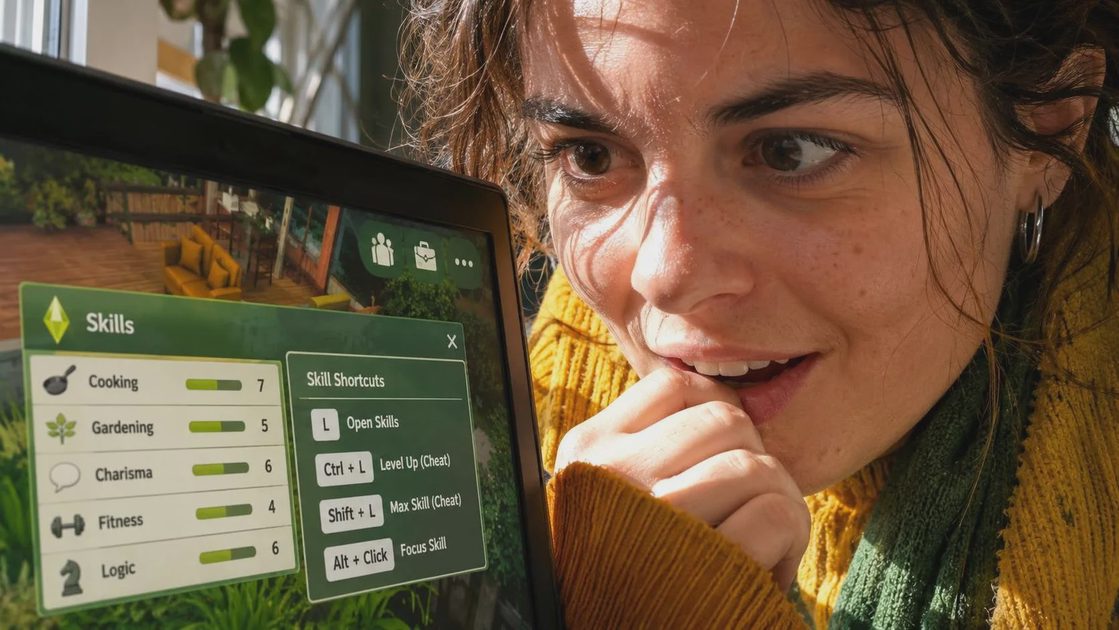
Useful Sims skill cheats for everyday play
The most practical Sims skill cheats cover the skills that shape a household’s daily routine. For Cooking, enter stats.set_skill_level Major_HomestyleCooking 10. Gourmet Cooking uses Major_GourmetCooking, Baking uses Major_Baking, and Mixology uses Major_Bartending. These are separate skills, so mastering one does not automatically raise the others.
Creative Sims can use Major_Painting, Major_Writing, Major_Guitar, Major_Piano, or Major_Violin. A level 7 or 8 is often enough to support a career without making the Sim feel instantly perfect. For a handy household member, try Major_Handiness, Major_Gardening, or Major_Fishing. Fitness uses Skill_Fitness rather than a Major_ code: stats.set_skill_level Skill_Fitness 6 is a useful middle-ground command.
Career-related abilities can also benefit from sims skill cheats. Logic uses Major_Logic, Programming uses Major_Programming, and Charisma uses Major_Charisma. If your Sim is preparing for a promotion, raise only the required skill and let the rest develop naturally. That keeps the next few in-game days interesting instead of making every goal disappear at once.
To use any of these commands, replace the final 10 with the level you want. Keep the capitalization and underscores exactly as shown. The game is forgiving about many entries, but a missing underscore or extra space can prevent the command from working.
Child, toddler, and special skill commands
Not every life stage uses the same skill code, which is one reason Sims skill cheats can feel confusing at first. Toddlers have Communication, Imagination, Movement, Thinking, and Potty. A toddler Communication command looks like stats.set_skill_level Skill_Toddler_Communication 3. Potty generally stops at level 3, while the other toddler skills reach level 5.
Children use codes such as Skill_Child_Social, Skill_Child_Creativity, Skill_Child_Mental, and Skill_Child_Motor. For example, stats.set_skill_level Skill_Child_Mental 5 gives a child maximum Mental skill. Character values from Parenthood, including Responsibility and Empathy, are different systems and do not use the ordinary skill command.
Several packs add their own skills. Vampire Lore uses VampireLore, Wellness from Spa Day uses Major_Wellness, and Photography uses Major_Photography. Pack names and skill systems can change with updates, so if a command does not respond, check the exact in-game skill name or test it with a lower level first.
You can use these commands for a gentle catch-up rather than a total shortcut. Raising a toddler from level 1 to 3, or a child from level 2 to 4, preserves room for normal play. That approach is especially nice in legacy saves where every family member should feel connected to the household’s history.

Why a cheat may not work
The most common problem is that testing cheats were not enabled. Open the console again and enter testingcheats true before trying Sims skill cheats. If the text box closes or the command produces no visible result, pause the game, select the Sim directly, and repeat the process.
A wrong code is another likely cause. Major_Cooking is not the correct code for the standard Cooking skill; use Major_HomestyleCooking instead. Fitness is Skill_Fitness, while toddler and child skills need their full age-specific names. Copying a command carefully is faster than trying several guesses while the game is running.
Also check whether you are controlling the intended Sim. In a busy household, the selected portrait can be easy to miss. A simple test is to raise a skill to level 2, watch the Sim’s panel, and then continue. If the skill panel does not change, cancel the command and verify the code.
Mods can create a separate issue. Outdated script mods may interfere with the cheat console after a patch. Move mods out temporarily, delete the localthumbcache file on PC or Mac, and test the command in a clean save. Do not delete your main save while troubleshooting. A backup gives you a safe way to experiment.
Keeping cheats balanced and fun
Sims skill cheats work best when they support a story. If your Sim is a gardener who spent childhood helping in a family greenhouse, raising Gardening to level 5 makes sense. If a broke newcomer suddenly reaches level 10 in every skill, the household may run out of meaningful goals. There is no wrong choice, but the second approach changes the pace of the entire save.
I like using a three-step rule. First, decide why the Sim needs help. Second, choose a modest level that solves the immediate problem. Third, let regular gameplay handle the next milestone. For example, give a new parent Cooking level 4 so family meals are manageable, then allow weekend cooking to carry the Sim toward level 6.
Save before making large changes, especially in a long-running legacy or challenge. If the result feels too powerful, reload the earlier save or lower the skill with the same command and a smaller number. You can also pair a skill boost with a self-imposed cost, such as buying new equipment, changing careers, or spending a week practicing instead of earning money.
A simple starting routine
If you are new to Sims skill cheats, begin with one Sim and one skill. Open the console, enable testing cheats, select the Sim, enter the correct stats.set_skill_level command, and check the skill panel. Then unpause for a moment and confirm that the Sim can use the related interactions.
For a smoother household, choose levels that fit the current chapter of the story: 2 or 3 for a beginner, 4 through 6 for a capable adult, and 10 for a master or career centerpiece. Write down the commands you use if you are managing a legacy family across several generations. That small note prevents repeated searching later.
Cheats are not a failure to play properly. They are one of The Sims 4’s built-in ways to shape pacing, repair an annoying setback, and make room for the parts of the game you enjoy most. Start with one purposeful change, watch how it affects the household, and let the rest unfold at a comfortable pace.


